
Pair nearby devices quickly
Use QR payloads or manual pairing codes to connect devices on the same Wi-Fi network for a local transfer session.

Utilities
SyncPulse is built for nearby device-to-device file sharing without account setup or cloud relay as the core workflow. It focuses on local pairing, direct transfer sessions, recent activity, and simple device-level preferences so sending files feels quick and private on compatible devices.
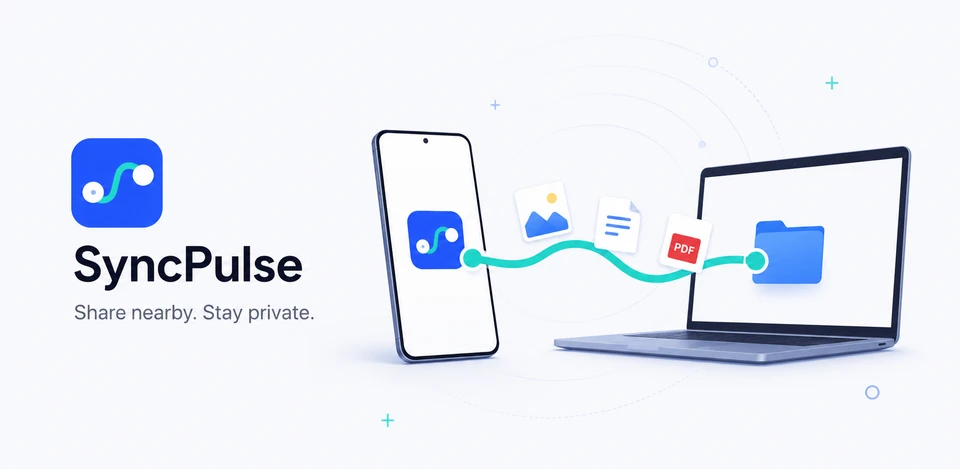
SyncPulse transfer flow
Use QR payloads or manual pairing codes to connect devices on the same Wi-Fi network for a local transfer session.
Device name, receive folder, onboarding state, and recent transfer history are designed to stay on the device instead of depending on an account service.
The current project indicates that local socket hosting and pairing are available through the Android native app, with web preview limitations for transfer features.
A same-Wi-Fi file sharing app with QR or manual pairing, local transfer history, and Android-native local sessions.

Device-to-device transfer
SyncPulse centers on nearby file sharing: one device hosts a local session, another joins by QR or manual pairing, and transfer history stays close to the Android device.
SyncPulse screens


Transfer clarity
Recent Play release notes improved completion percentages, openable received files, unavailable-file states, full file lists, previews, cancelled states, and activity history.
SyncPulse privacy
SyncPulse is presented as a same-Wi-Fi file-transfer app with QR or manual pairing, receive-folder settings, transfer details, and local activity history rather than account-based cloud sharing.
What’s new
SyncPulse now shows actual completion percentage for partial transfers, can open successfully received files even when a transfer is incomplete, marks deleted or moved history files as unavailable, and improves transfer details, full file lists, file previews, cancelled states, and activity history.
View all updates arrow_forwardTechnical information
Need help?
Include your device model, Android version, app version, and screenshots when possible.
Open supportEmail supportMore apps you might like
A retail catalog and inventory app for Jeaneth Store with customer browsing, cart flows, admin orders, and stock control.

A local Android sound toolkit for playback enhancement, equalizer presets, speaker checks, and private audio tests.

A precise Android metronome for tempo practice, tap tempo, beat setup, and background playback.